


Fibra (Hybrid Alarm)

A fully wired alarm system that installs in hours, not days.
Fibra is Ajax's proprietary wired communication protocol — up to 100 devices on a single 2km line, zero manual programming, and ten anti-sabotage countermeasures built in. Pair it with Ajax's wireless Jeweller devices on one Hybrid hub for the best of both worlds.
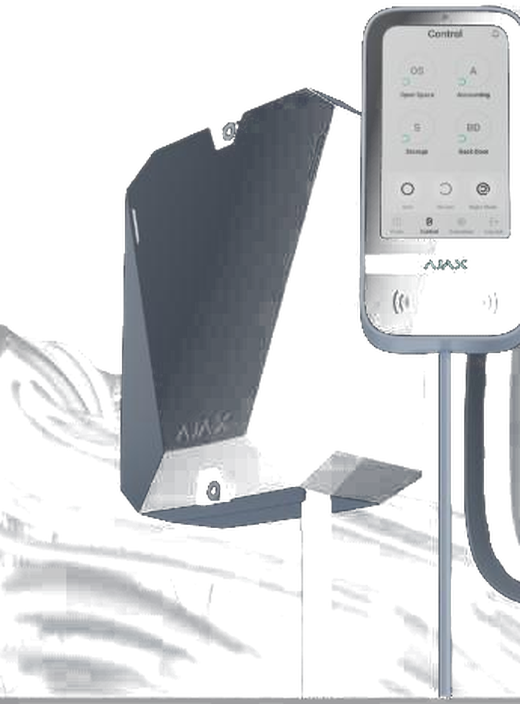
100 devices per line
One 2km Fibra line, any mix of devices
~20 hrs to install
30-device system — about half a typical wired job
AES-128 + NIST cipher
Every device authenticated, every session encrypted
Wired security, without the wiring headaches.
Traditional wired alarm systems rely on EOL resistors and relay outputs — every zone needs its own home run back to the panel, and every fault means a multimeter and a lot of patience. Fibra throws that model out. Every Fibra device talks to the hub over a shared two-wire digital bus, using encrypted data packets instead of simple voltage changes.
That single design change is why a 30-device Fibra system installs in around 20 hours versus roughly 40 hours for a comparable traditional wired system — and why there's no programming required once it's wired in. Devices are recognised automatically the moment they're connected.
The problems Fibra was built to remove.
Six of the most common wired-install pain points, and the specific Fibra feature that solves each one.
Line versatility
Run Beam, Ring or Tree on the same line — and mix topologies across a hub — so the wiring plan fits the building instead of the other way around.
Lines up to 2,000 m
Each Fibra line reaches up to 2km, with a LineSplit Fibra module able to extend it even further on large or multi-building sites.
Informative notifications
Get instant, detailed notifications for every event on the line — not just a generic armed/disarmed status.
In-app line management
Scan the whole line straight from the app to see every device, its signal quality and its position — without opening the hub.
TDMA communication
A scheduled time-slot protocol keeps every device's power draw low, stretching backup battery runtime across the whole line.
Protocol-level anti-sabotage
Ten anti-sabotage mechanisms operate at both the communication protocol and hardware level — not just a tamper switch on the case.
Four ideas that make Fibra work.
No relays, no EOL resistors — Fibra is a digital protocol from the ground up, purpose-built for security rather than adapted from general industrial bus standards.
Devices share one line
Up to 100 Fibra devices connect to a single hub line using a 4-core signal or 8-core U/UTP cable — no home runs, no dedicated zone wiring.
Each gets a time slot
A TDMA-style protocol gives every device a short, scheduled window to transmit, so 100 devices can report in without data collisions.
Every packet is confirmed
Communication is two-way and full-duplex. The hub confirms receipt of every alarm; if it doesn't, the detector keeps transmitting until it does.
Encrypted, instant
Data is protected with a proprietary NIST-certified cipher based on AES-128, and alarms reach the hub in as little as 0.15 seconds.
Three ways to run a Fibra line — pick what fits the site.
Fibra supports three wiring topologies, so the cable layout can match the building rather than the other way around.
Beam (Radial)
A single line runs out from the hub to every device on it. The simplest, most common layout for most sites.
Ring
Both ends of the line return to the hub. If the cable is ever cut, both halves keep working independently — the layout security-graded sites ask for.
Tree
A Superior LineSplit Fibra module divides one line into four, each extending up to 2km further — built for large or multi-building sites.
Mix wired Fibra and wireless Jeweller devices on the same system.
The Superior Hub Hybrid runs Fibra (wired) and Jeweller (Ajax's wireless protocol) side by side — up to 8 independent Fibra lines plus full wireless support, up to 100 devices total, all managed from one app and one monitoring account. Wire the areas that need Grade 3 wired reliability; go wireless everywhere else.
Where Fibra sits between traditional wired and wireless-only.
Three ways to protect a site, and three different trade-offs between install speed, resilience and flexibility.
| Traditional Wired | Fibra (Wired) | Wireless (Jeweller) | |
|---|---|---|---|
| Install time (30 devices) | ~40 hours | ~20 hours | ~10 hours |
| Programming | Manual, per zone | None — auto-detected | None — auto-detected |
| Tamper & line security | Basic EOL resistor | 10 anti-sabotage mechanisms + continuous line monitoring | Jamming & RF interference detection |
| Devices per line/hub | Typically 1 zone per run | Up to 100 per line | Up to 100 per hub |
| Best for | Simple, low-device-count sites | Grade 3 sites, harsh RF environments, large device counts | Fast retrofits, heritage buildings, flexible layouts |
Ten countermeasures, on by default.
System supervision
Continuous monitoring of tamper, comms, power and sensor state, with instant alerts.
Line breakage protection
Ring topology splits into two working segments if the cable is cut.
Alarm delivery confirmation
The hub confirms receipt; the detector keeps transmitting until it does.
AES-128 encryption
A proprietary NIST-certified cipher protects every data packet on the line.
Buffered backup
MotionCam devices store alarms and photos locally and sync once connection restores.
Device authentication
The hub authenticates every device each session, preventing spoofing.
Regular polling
Communication loss is detected in as little as 36 seconds at minimum settings.
Line voltage control
Constant monitoring flags voltage sags or spikes on the line instantly.
Short-circuit protection
Faults are detected instantly, with automatic restoration — no fuse to replace.
No data collision
The protocol handles simultaneous alarms from all 100 devices without data loss.
Built to meet the standards installers get asked for.
Fibra sits within Ajax's Superior product line and is designed to the certifications and standards below. Always confirm current certification status for the specific model and market before quoting a compliance-driven job.
6662
G2
G3
Wired devices, in stock at LTS Security Australia.
A cross-section of the Fibra range LTS carries — the full catalogue runs to 50+ SKUs across colours and variants.

MotionCam Fibra

MotionProtect Plus Fibra

DoorProtect Plus Fibra

GlassProtect Fibra

CombiProtect Fibra

Superior KeyPad Outdoor Fibra

Superior SeismoProtect G3 Fibra

Superior MultiTransmitter IO Fibra
App tools that do the hard part for you.
Four tools built into the Ajax app to take the guesswork out of planning, testing and configuring a Fibra line.
Power supply calculator
Enter the device list for a line and the app checks whether the power budget covers all of it, before you run any cable.
Line power test
Run a live test on an installed line to confirm every device is getting sufficient voltage — no multimeter, no guesswork.
Line scanning
Scan the whole line from the app to see every connected device, its signal quality and its position, in seconds.
Case configurator
Set sensitivity, groups and automation scenarios for each device from the app — no dip switches, no manual per-zone programming.
From wiring to walkthrough in about a day.
Plan your topology
Choose Beam, Ring or Tree based on the site — Ring for anywhere line security matters, Beam for straightforward runs, Tree for large or multi-wing buildings.
Run the cable
A single 4-core signal or 8-core U/UTP cable carries every device on the line — no home runs back to the hub per zone.
Connect and power up
Devices are recognised automatically the moment they're wired in. No manual programming, no per-zone configuration.
Commission from the app
Group devices, set up to 9 security groups and 36 automation scenarios, and the system is ready to arm.
One protocol, five very different jobs.
The same core Fibra features solve different problems depending on the site. A quick look at how it plays out across five common install types.
Warehouse & Production
- Wired reliability holds up where RF interference or steel structures would challenge a wireless-only system.
- Up to 100 devices on one 2km line covers large floor plans without hub sprawl.
- Ring topology keeps both halves of a zone live even if a line is damaged by machinery or forklifts.

Office
- Programming-free install lets you commission a full floor of detectors and access devices in one sitting.
- Up to 9 security groups let different departments or tenancies arm and disarm independently.
- Superior-line hardware keeps a professional fit-out looking the part.
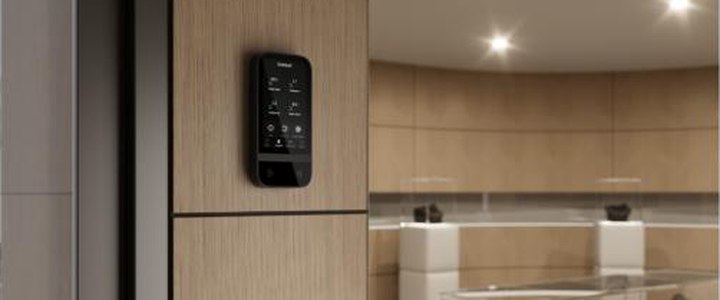
Retail
- A 30-device store can go from cabling to commissioning in around a day.
- Combine wired Fibra on the shopfront and stockroom with wireless Jeweller for fitting rooms or pop-ups, on one Hybrid hub.
- MotionCam photo verification helps rule out false alarms before a response is dispatched.

Education
- Grade 3-capable protection with tamper and line-cut detection across corridors, halls and equipment stores.
- Automation scenarios can arm and disarm zones to match a school timetable.
- PD 6662, INCERT and SSF credentials support tender and compliance requirements on public-sector sites.

Private Residence
- One line reaches every room over simple cable, without a home run per zone.
- Anti-sabotage countermeasures keep protecting the system even if an intruder finds the hub.
- Pair with wireless Jeweller for garages, sheds and outbuildings, no extra cable runs needed.
Take the full spec sheet with you.
Everything on this page, plus wiring diagrams, full device specs and the anti-sabotage checklist, in one file you can print, share or take on-site.
Join our live Ajax Fibra webinar
We'll walk through topology planning, the full anti-sabotage feature set, and take live Q&A for installers speccing their first Fibra job.
Ajax Fibra FAQ
Why installers are switching to Fibra.
Be competitive
Quote wired jobs at near wireless-installation speed, and win work that pure-wireless installers can't spec for Grade 3 sites.
Install and earn more
Faster installs and zero manual programming mean more jobs completed per week without adding crew.
Solve problems fast
Line scanning and the power test tool cut fault-finding from hours to minutes.
Be a trusted partner
Ten anti-sabotage countermeasures and Grade 3 compliance mean fewer callbacks and a system you can stand behind.
Ready to spec a Fibra system for your next install?
Browse the Fibra range in stock at LTS, or talk to our team about planning your first wired Ajax install.
Want to stay in the loop?
We'll keep you updated with the latest deals, so that you'll never miss out.
Get connected
Join the LTS Security Australia community.

