


Ethernet or POE over coax and 2-wire

Reuse the cable that's already there.
Old RG59 and RG6 coax. Two-core alarm cable. Legacy intercom risers. If a building has copper running where you need data, these two extenders will carry Ethernet — and in one case PoE as well — up to 500 metres over it. No chasing walls, no new conduit, no heritage approval.
Sometimes you simply cannot pull new cable
A heritage facade you're not permitted to touch. A hotel that can't take rooms offline. A 1970s office tower where the risers are full and the ceilings are sealed. An industrial site where the cable run crosses a road.
In every one of those buildings there is usually already copper in the wall — the RG59 that fed the old analogue cameras, the RG6 from a defunct MATV head-end, or the two-core that ran the original intercom. It's routed exactly where you need it, and it's doing nothing.
The obstacle was never the cable. It's that Ethernet gives up at 100 metres and needs four pairs to do it. These two extenders remove both constraints: they modulate Ethernet onto a single pair or a single coax and carry it five times further than Cat6 will go.
Two boxes, one existing conductor
A pair sits at each end. The unit in the comms room takes standard Ethernet in; the unit at the far end hands standard Ethernet back out. Between them, the signal travels over whatever copper the building already has.
Both products are transparent to the network — no VLANs to configure, no IP addressing on the extenders themselves, nothing for the NVR or VMS to know about. To the switch it looks like a long piece of cable.
One carries power. One carries speed.
This is the single most important distinction, and it decides which one belongs on your job.
PoE over 2-Wire
Receiver + transmitter pair · 100 Mbps full duplex · carries PoE
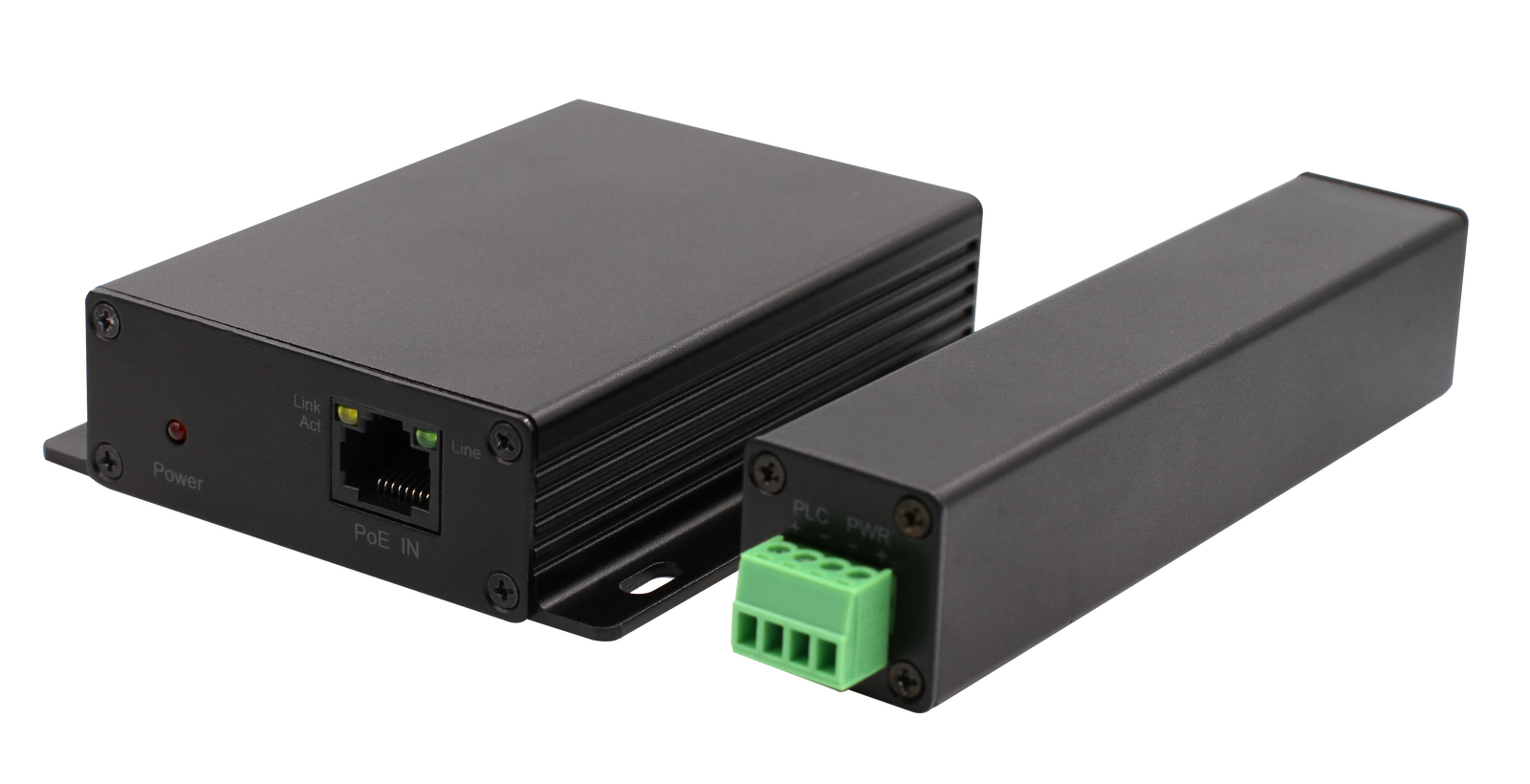
- Sends data and PoE down the same single pair or coax
- Far end needs no local power — the camera is powered from the comms room
- Works over 2-wire or coaxial cable, up to 500 m
- Receiver fed from your PoE switch (802.3af/at/bt) or 48–56 VDC
- Transmitter outputs standard 48 VDC 802.3af/at to the device
- Aluminium alloy, −20°C to 60°C
Gigabit Extender
Gigabit ports · high throughput · data only, no PoE
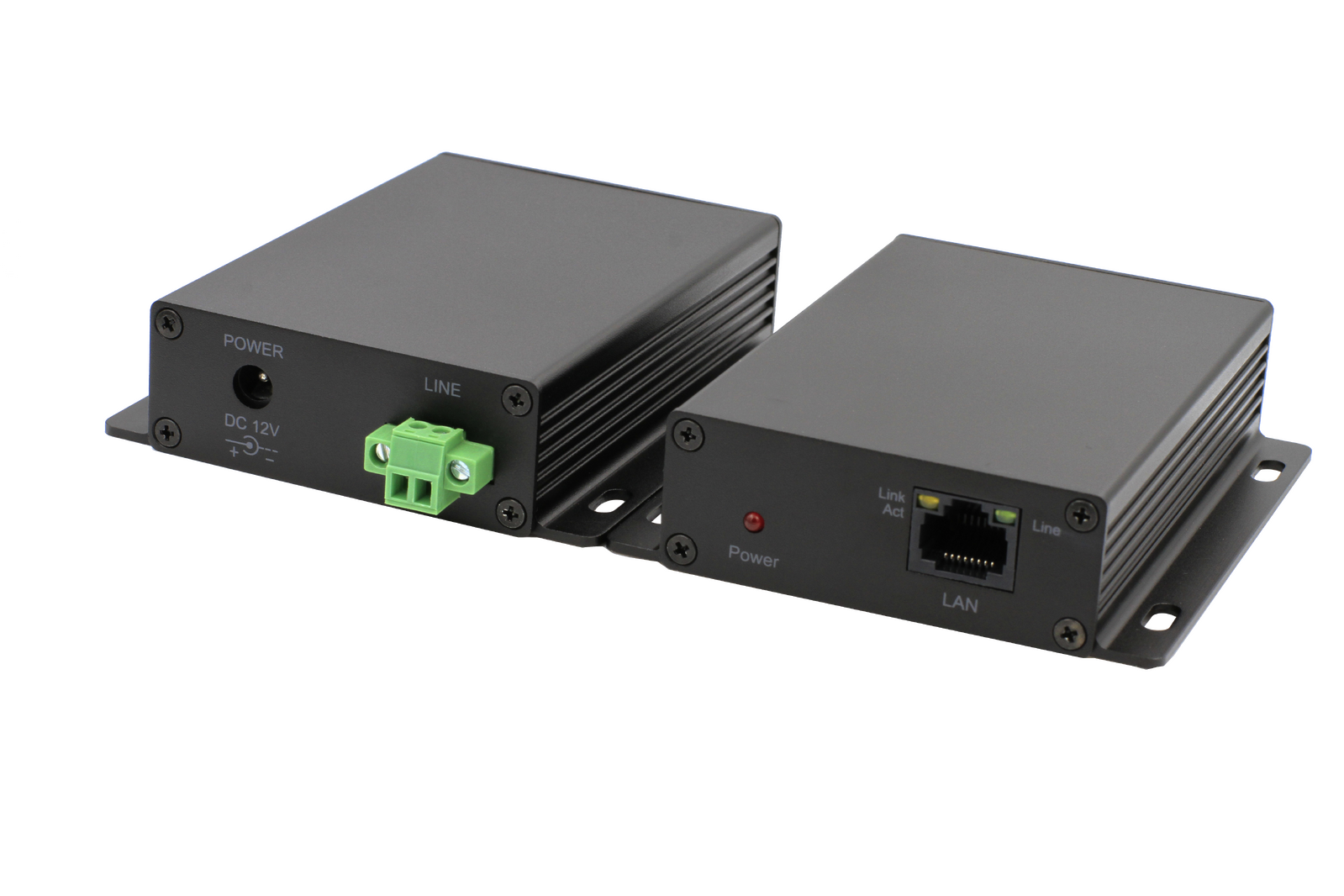
- Far higher throughput — around 312 Mbps at 100 m
- Reaches up to 1000 m, roughly 35 Mbps at that distance
- Requires 12–24 VDC power at both ends — it does not pass PoE
- 128-bit AES encryption on the link
- Desktop, wall or DIN-rail mounting
- IEEE 1901 and IEEE 802.3 compliant, protocol independent
What you actually get at distance
Manufacturer figures for PoE-2Wire-PRO over coaxial cable, with a 30 W PoE-fed receiver. Bandwidth holds up remarkably well; available PoE at the far end is what tapers.
| Distance | Bandwidth | PoE available (PoE 30 W feed) | PoE available (DC 48 V feed) |
|---|---|---|---|
| 100 m | 85.5 Mbps | 22.4 W | 25.8 W |
| 200 m | 84.6 Mbps | 20.7 W | 21.5 W |
| 300 m | 83.2 Mbps | 20.0 W | 20.5 W |
| 400 m | 82.0 Mbps | 13.0 W | 12.5 W |
| 500 m | 80.5 Mbps | 12.0 W | 9.0 W |
Over 2×0.75 mm² twisted pair the figures are marginally lower but follow the same curve — 84.2 Mbps at 100 m down to 79 Mbps at 500 m. Actual speed and PoE performance vary with cable quality and environment.
Buildings that fight back
Analogue-to-IP upgrades
The site has RG59 to every camera position from the old DVR. Rather than abandoning it, put a pair on each run and land modern IP cameras on the existing coax — including the ones 300 m down the driveway that Cat6 could never have reached.
Heritage-listed properties
Where you're not permitted to chase walls, drill facades or add visible conduit. If there's an existing cable route that was approved decades ago, you can carry modern data over it without a new heritage application.
Hotels and aged care
Occupied buildings where taking rooms or wings offline is the real cost, not the cable. Reusing the existing riser means the work happens in plant rooms and corridors instead of inside rooms.
Legacy 2-wire intercom risers
Older apartment buildings are full of two-core running from the entry panel to every unit. That pair will carry Ethernet, which opens up IP intercom upgrades in buildings that would otherwise need a full riser replacement.
Long external runs
Front gates, car parks, jetties, farm sheds and pump stations sitting well past the 100 m limit. Cheaper and faster than trenching fibre, and without the line-of-sight and weather exposure of a wireless link.
Industrial and strata retrofits
Sites where the riser is full, the ceiling is sealed, or the run crosses a road or a boundary you don't control. The existing conductor is already through the obstacle — you just need it to speak Ethernet.
A major Sydney hotel
The building could not take new Cat6. Occupied floors, sealed risers, and no appetite for the disruption a recable would have caused. What it did have was legacy RG59 already running from the plant room out to the area that needed coverage.
Rather than treating the coax as a single camera drop, we used it as a backbone. An extender pair carried the link end to end, and a PoE switch at the far end fanned out to the cameras from there. One existing cable, thirty-two new IP cameras, and not one new penetration through the building fabric.
Side by side
PoE-2Wire-PRO
| Function | Ethernet + PoE over single pair or coax |
|---|---|
| Ethernet | IEEE 802.3, 802.3u — full duplex 100 Mbps |
| Power input (receiver) | RJ45/PoE 48–56 VDC, IEEE 802.3af/at/bt · or DC port 48–56 VDC |
| Power output (transmitter) | RJ45/PoE 48 VDC, IEEE 802.3af/at |
| Consumption | ≤1.5 W per unit |
| Max distance | 500 m |
| Cable | 2×0.75 mm² twisted pair or coaxial |
| Dimensions | Receiver 98×86.5×25 mm · Transmitter 78×42×31.5 mm |
| Weight | Receiver 160 g · Transmitter 107 g |
| Material | Aluminium alloy |
| Operating range | −20°C to 60°C, <95% non-condensing |
| SKU | PoE-2Wire-PRO (LTS Platinum) |
Data-2Wire-PRO
| Function | Gigabit Ethernet over 2-wire — data only |
|---|---|
| Ethernet | Full-duplex Gigabit ports, IEEE 1901 and IEEE 802.3 |
| Throughput @ 100 m | ≈312 Mbps |
| Throughput @ 500 m | ≈98 Mbps |
| Throughput @ 1000 m | ≈35 Mbps |
| Power | 12–24 VDC required at both units |
| Encryption | 128-bit AES |
| Cable | 2×0.75 mm² twisted pair, telephone line or similar copper |
| Mounting | Desktop, wall or DIN rail |
| Transmission | Transparent and protocol independent — zero configuration |
| Shipping weight | 1.0 kg |
| SKU | Data-2Wire-PRO |
What installers ask us
Can I really run 32 cameras through one of these?
Not off a single link feeding a single camera — you run the extender as a backbone and put a switch behind it. The cameras then share the link's throughput. Work out your total bitrate first: 32 cameras at 8 Mbps is around 256 Mbps, which needs the gigabit-class product on a relatively short run, not the 100 Mbps PoE unit. Always size the link against real encoder settings rather than camera count.
Does the far end need power?
With PoE-2Wire-PRO, no — that's the whole point of it. Power travels with the data from the comms room. With Data-2Wire-PRO, yes: both units need 12–24 VDC locally, so you need power at the far end for the extender and for whatever switch or camera sits behind it.
Will it work over the old RG59 that's already in the building?
Yes, and the coaxial figures are marginally better than twisted pair. Condition matters more than type — check for water ingress at outdoor joins, corroded BNCs and any mid-run splices from previous work. A quick continuity and resistance test before you quote will save an argument later.
Do I need to configure anything?
No. Both are transparent and protocol independent — no IP addressing on the extenders, no VLAN setup, nothing for the NVR to see. One caveat on the PoE unit: units are supplied as matched pairs with grouping codes on the labels, and pairs with different codes will not talk to each other. Keep sets together, and if you're swapping an encrypted model, swap both ends.
What's the most common installation mistake?
Reversing polarity on the two-wire terminals. The receiver's LINE port outputs DC to the transmitter, so getting +/− the wrong way round means no power at the far end and a dark power LED. Also worth knowing: the transmitter's power port stays idle — never connect power to it — and the device should not be fed from PoE and 48–56 VDC at the same time.
How does this compare to fibre?
Fibre wins on distance and capacity if you can install it. These win when you can't — when the pathway is the problem rather than the bandwidth. If the building will let you pull new cable, pull fibre. If it won't, this is how the job gets done.
The cable is already in the wall.
PoE-2Wire-PRO and Data-2Wire-PRO are available now from LTS Security Australia. Send us the site details and we'll help you size the link.

